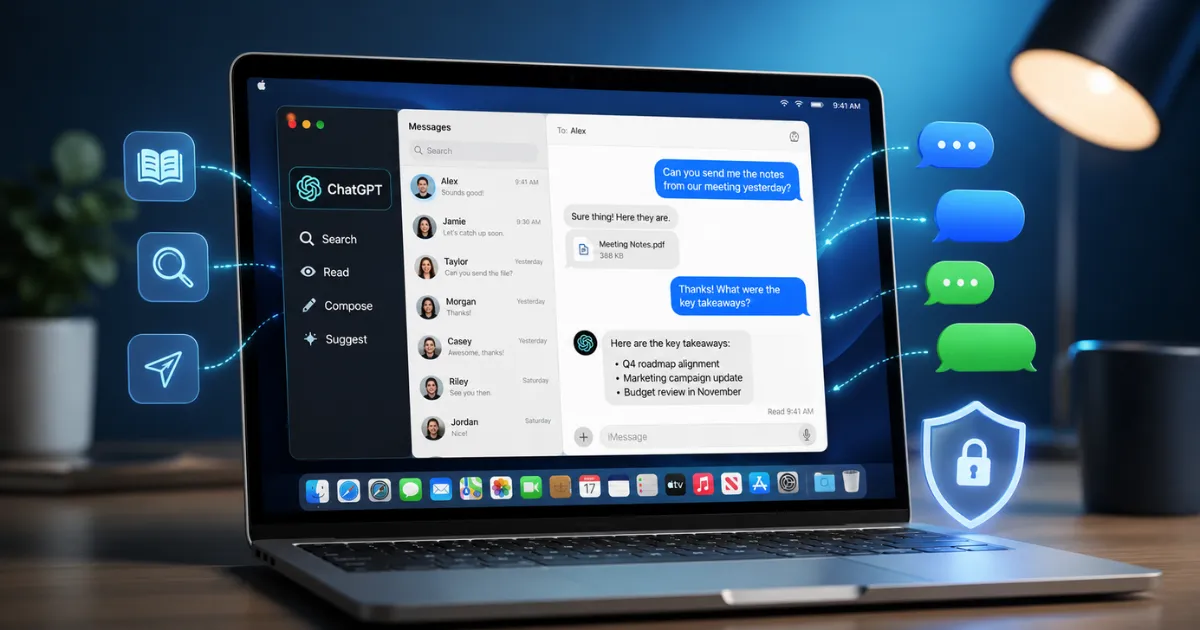
ChatGPT is getting much closer to the everyday apps people already use on their computers.
OpenAI has introduced a new Apple iMessages plugin for ChatGPT on Mac, allowing the AI assistant to search conversations, summarize message threads, prepare replies and even send messages through Apple’s Messages app.
The new ChatGPT iMessage integration supports not only iMessage but also SMS and RCS conversations available inside the Messages app on a Mac. The feature was announced as part of a ChatGPT update on August 20, 2026. For Mac users in the United States, India and other supported markets, this could make ChatGPT considerably more useful. At the same time, allowing an AI assistant to access private conversations naturally raises questions about permissions and privacy.
Here’s what users need to know.
What Is the ChatGPT – Apple iMessage Integration?
The new feature comes through an Apple Messages plugin in the ChatGPT desktop app for macOS.
Once the plugin is enabled and the required permissions are provided, ChatGPT can work with conversations stored in Apple’s Messages app.
Users can ask it to perform tasks such as:
- Find an older message or conversation
- Search for information mentioned in a chat
- Summarize a long conversation
- Draft a reply
- Check conversations for possible follow-ups
- Prepare a message to a contact
- Send a message after receiving approval
The integration works with iMessage, SMS and RCS, meaning it is not limited to Apple’s familiar blue-bubble conversations. That makes the feature particularly interesting in the United States, where iMessage has a huge user base, but it could also be useful in India for Mac users whose Messages app contains SMS, RCS and iMessage conversations.
ChatGPT Can Search Your Old Messages
One of the most useful parts of the ChatGPT iMessage integration may be message search.
Anyone with years of conversations knows how difficult it can be to remember where a particular address, restaurant name, meeting time or other detail was mentioned. Instead of manually scrolling through several conversations, users could ask ChatGPT to locate the information.
For example, someone could ask ChatGPT to find a date discussed with a friend or summarize what was decided in a long group conversation. OpenAI says the plugin can read and search chats stored on the Mac and use that information to help complete requested tasks.
ChatGPT Can Draft and Send Messages
The integration goes beyond simply reading conversations.
ChatGPT can also prepare replies based on the context of a conversation.
Imagine receiving a long message about dinner plans. Instead of reading through the entire thread again, a user could ask ChatGPT to summarize the discussion and prepare a short response. The AI could potentially help with everyday messages such as scheduling meetings, confirming appointments or following up on conversations.
However, ChatGPT does not normally send the message immediately.
By default, the user must approve both the content of the message and its recipient before it is sent.
This confirmation step is important because AI-generated messages can still contain mistakes or misunderstand the context of a conversation.
Does ChatGPT Automatically Send iMessages?
Not by default.
OpenAI has included a confirmation step before outgoing messages are sent.
This means ChatGPT can prepare a reply, but the user normally gets a chance to check what has been written and confirm who will receive it. Users can choose to remove repeated confirmation for specific conversations, but OpenAI warns that doing so removes an important opportunity to review a message before it leaves the Mac.
For most users, keeping message approval turned on will be the safer choice.
After all, a wrongly worded AI-generated message sent to a friend may be embarrassing. A wrong message sent to a client, colleague or employer could be a much bigger problem.
What Permissions Does ChatGPT Need?
This is where users should pay close attention.
For the Messages integration to work, ChatGPT requires several macOS permissions, including access needed for automation, contacts and message information.
Reports also say the feature requires Full Disk Access on the Mac.
Full Disk Access is a significant macOS permission, so users should understand what they are allowing before enabling it. The plugin needs these permissions so ChatGPT can find messages, identify contacts and interact with Apple’s Messages app.
Users who are uncomfortable giving an AI application broad access to their Mac may prefer to leave the feature disabled.
Is the ChatGPT iMessage Integration Private?
Privacy is likely to become one of the biggest discussions surrounding this update.
Messages can contain some of the most personal information stored on a computer — family conversations, business discussions, financial details, addresses, phone numbers and other private information.
Giving an AI assistant the ability to search those conversations therefore requires a high level of trust.
OpenAI has designed the feature so that users must explicitly grant the required macOS permissions, and sending messages requires confirmation by default. Users should still review the permissions carefully and avoid enabling persistent approval for important conversations unless they fully understand the risks.
A sensible approach is simple: give ChatGPT only the permissions you actually need and continue reviewing messages before allowing the AI to send them.
Does It Work on Every Mac?
No.
There is an important hardware restriction.
The Apple Messages plugin currently works on Apple Silicon Macs, which includes machines powered by Apple’s M-series processors.
Intel-based Macs are not currently supported for this feature.
Users will also need the ChatGPT desktop app for macOS.
Although the plugin is listed as available across ChatGPT plans, the actual Messages functionality currently works through ChatGPT Work and Codex on desktop, rather than inside a normal ChatGPT conversation.
That distinction is important because users should not expect to open an ordinary ChatGPT chat and immediately ask it to send an iMessage.
Can You Chat With ChatGPT Through iMessage?
No.
The new feature should not be confused with turning iMessage into another way of chatting directly with ChatGPT. You cannot simply send a message to ChatGPT from your iPhone and remotely control ChatGPT through Apple’s Messages service.
Instead, the integration works the other way around: ChatGPT running on your Mac can access the Messages app when you ask it to perform a supported task.
Why This Matters for Users in the USA
The update could be especially significant in the United States because of Apple’s strong position in the smartphone and messaging market.
For people who spend their working day on a Mac, ChatGPT could become a central assistant that helps manage communication without constantly switching between applications.
A user might eventually move from checking a calendar to finding an old message and then preparing a reply as part of one workflow.
That is a much bigger role for ChatGPT than simply answering questions in a browser.
What About Users in India?
The feature is also relevant to Indian Mac users, particularly professionals, business owners, developers and people who regularly work across Apple devices.
Because Apple’s Messages app can contain iMessage, SMS and RCS conversations, the integration is not useful only when communicating with other iPhone owners. However, WhatsApp remains an important messaging platform for many Indian users, so the Apple Messages integration is likely to be more useful for people who already rely heavily on Apple’s ecosystem.
The availability of RCS support makes the feature more interesting because conversations with Android users can also appear within Apple’s Messages environment.
AI Assistants Are Moving Beyond the Chat Window
The bigger story behind the ChatGPT iMessage integration is how quickly AI assistants are moving into everyday computer applications.
Chatbots initially required users to open a website, type a question and wait for an answer.
The next stage is different.
AI tools are increasingly being designed to work with the information and applications people already use — including documents, calendars, coding tools and now personal messages.
That could save users time, but it also means people will need to pay much more attention to what information their AI assistants can access.
Should You Enable ChatGPT Access to Apple Messages?
For users who receive a large number of messages, the feature could be genuinely useful.
Searching old conversations, summarizing long chats and preparing replies could save time, particularly for professionals who already spend most of their day on a Mac.
But convenience should not replace caution.
Before enabling the feature, users should review the permissions ChatGPT requests, keep message confirmation enabled and avoid granting unnecessary access.
The technology is useful, but personal messages are sensitive data.
Final Thoughts
The new ChatGPT iMessage integration shows where AI assistants may be heading next.
Instead of being a separate chatbot that waits for questions, ChatGPT is increasingly becoming a tool capable of working with apps and information already stored on a user’s computer.
For Apple Silicon Mac users, the new Messages plugin can search and summarize conversations, draft responses and send iMessage, SMS and RCS messages after receiving the necessary permissions.
For users in both the USA and India, that could make everyday communication faster.
But the feature also gives ChatGPT access to one of the most private areas of a computer.
The best approach is to enjoy the convenience while keeping control in your own hands — especially when deciding what ChatGPT can access and which messages it is allowed to send.